Step 1
Locate the post you want to move in front of the paywall click Edit Post
Step 2
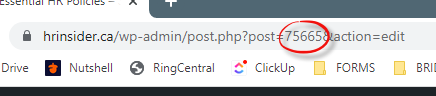
Copy the Post ID (found in the URL after you click Edit Post)
Step 3
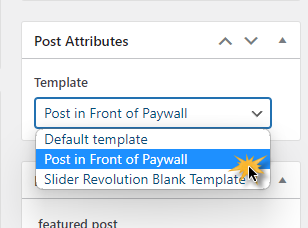
Change the template to Post in Front of Paywall and update your post
Step 4
Go to MemberPress Rules and open the All Posts rule
Step 5
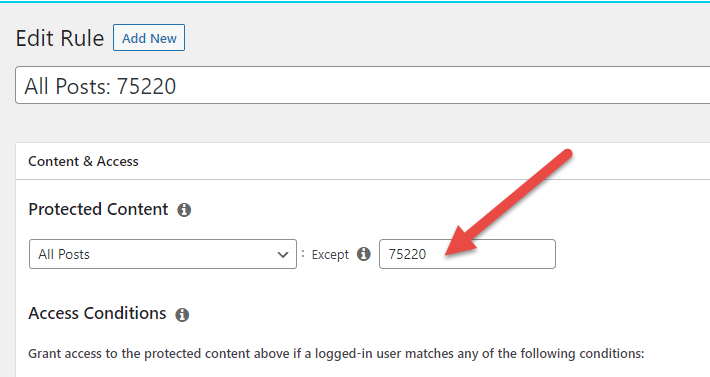
Paste in the Post ID in the exception box and Save the rule
REMOVING A POST FROM IN FRONT OF THE PAYWALL
Step 1
Locate the post you want to remove from in front of the paywall click Edit Post
Step 2
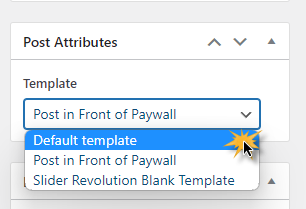
Change the template to Default Template and update your post
Step 3
Go to MemberPress Rules and open the All Posts rule
Step 4
Remove the Post ID from the exception box and save rule